Product Introduction:
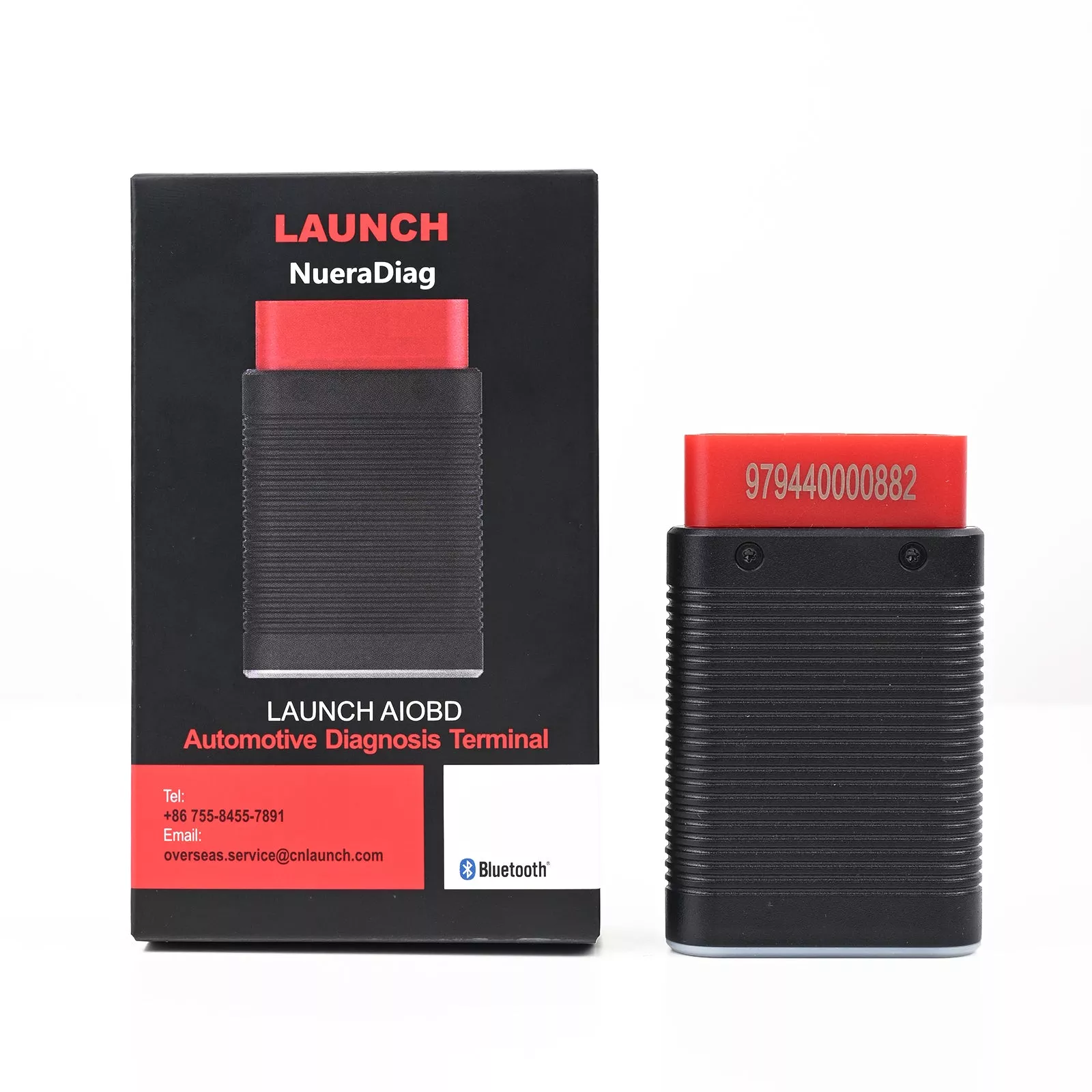
LAUNCH AIOBD is a professional diagnostic device designed to work exclusively with LAUNCH AIOBD APP, offering comprehensive coverage across all vehicle makes, systems and functions. The LAUNCH AIOBD diagnostic connector and the mobile phone APP communicate via Bluetooth. When the connector is connected to the vehicle and within the communication range, professional diagnosis of the vehicle can be performed through the mobile phone APP.Simply plug the device into your vehicle’s OBDII port, pair it via Bluetooth and you can perform full-system vehicle diagnostics.
How to Download the App:1. For iOS devices, search for “LAUNCH AIOBD” in the official App Store.2. For Android devices, search for “LAUNCH AIOBD” in the official Google Play store.3. Alternatively, you can directly scan the QR code on the packaging to go to the corresponding app store to download.Launch AIOBD App download QR codeProduct Highlights:
Most of the vehicle makes, systems, and functions coverage.Bluetooth CommunicationOnline diagnostic software subscription and downloadOne-key software upgradeApplies to both Android and iOS platform, simple interface, and easy to operateLAUNCH AI-based platform to offer instant online help at any time.Product Functions:
| Free OBD2 Functions | Description |
| AutoOBD | Automatically reads all static OBD data and generates a report, supports DTC clearing. |
| Live | Select data and display real-time data in a line chart |
| Read/Clear Code | Read DTCs, clear DTCs |
| OBFCM | European emissions-related data, which can be generated and shared in reports |
| Smog Check | Support Smog Detection |
| Freeze Frame | Support Freeze Frame |
| Mode 6 | Mode 6/For vehicles without Mode 6, display Mode 5 data (oxygen sensor data) |
| Mode 8 | Request to control vehicle systems |
| MIL Status | Engine status. |
User Manual
Include user manual.
UpdateOBD, Autosearch, purchased software, and five Full Scan software can be upgraded here within the validity period.Diag LogHistorical records of traditional diagnostic reports from the Diagnostic and OBD menus on the home page are displayed here.MyInclude bound email, S/N, Firmware Fix, Problem Feedback, Reset Password, Delete Account, Settings, etc.SupportDisplay after-sales email and after-sales contact phone numberDLCDiagnostic connector diagram
Full Scan(Automatic)1. After new users manually click “Full Scan” to obtain the corresponding mobile phone permissions, they can perform automatic full-vehicle scanning. (The app cannot actively request relevant permissions without the user clicking the corresponding function; therefore, automatic full-vehicle scanning can only be performed after the user completes the authorization.)2. For old users, a pop-up will automatically appear to ask whether to perform “Auto Scan” diagnosis when opening the app for the first time.3. Once the scan is completed, a vehicle test report is generated.Only the OBD report can be viewed for free.To view the detailed content of other system faults and the professional analysis report, unlocking is required. The cost to unlock diagnostic features and view the AI-powered advanced analysis report for a single brand per year uses Smart Pricing. This report contains comprehensive fault information across all vehicle systems, including which parts need replacement or repair, estimated labor time and cost, nearby repair shops, vehicle service history, vehicle health status, and other professional big data analysis results. After purchase, the “Diagnostic” function also becomes accessible.Diagnostic(Professional)1. After scanning out a specific vehicle model and completing the purchase, traditional diagnosis can be performed, describing all vehicle systems. For each system, users can independently perform functions such as DTC reading, DTC clearing, data stream reading, version information reading, actuation test, special functions, and ECU coding, and diagnostic logs for the vehicle model can be independently generated. Maintenance personnel can use this information to perform vehicle system repairs. The software price uses Smart Pricing.2. If users have already purchased the vehicle model software during “Full Scan”, they do not need to purchase it again when using the “Diagnostic” function.
LAUNCH AI Function Description1. What is the specific problem with the vehicle? (DTC analysis)2. What is the estimated cost of repair? (Labor, parts, etc.)3. Who can help me fix it? (Nearby repair shops that specialize in this type of vehicle)4. How to repair it specifically? (Repair plan or repair instructions)
Product Features:User Friendly
New users automatically search for connectors to activate and register, NO need for manual activation.One-click OBD Data ReportGenerate a comprehensive OBD static data report with one click. Supports ten OBD modes, Smog Check, and OFBCM. Reports can be generated and shared, and are free for life.Full ScanFull Scan automatically detects and generates professional diagnostic reports with one click. Ideal for individual car owners, it’s easy to use. If you haven’t purchased the software for your vehicle, you can scan the report first. Only the OBD report will be displayed. Other system faults and professional analysis reports are available only after unlocking the software. Paid features include AI analysis, predictive maintenance recommendations, work hours, and replacement parts recommendations. The software can be upgraded through Update, regardless of whether it’s already been purchased. However, only the vehicle model you’ve purchased can be used for professional traditional diagnostics in Diagnostic section.Full Scan’s interactive design offers highly consistent functionality, simple operation, and a clean interface. The traditional connector products require entering multi-level menus for interface selection.
Saving Historical Reports1. After purchasing, the vehicle test report generated by Full Scan can be analyzed professionally by AI, recommending nearby repair shops, displaying fault information for different systems, including required parts, repair hours, and costs. It also summarizes the vehicle’s historical diagnostic faults, showing the top 10 fault types for that model, and proactively adding maintenance information. Combined with the vehicle’s historical faults and maintenance information, predictive maintenance service recommendations are provided.2. The diagnosis performed in the Diagnostic and OBD menus provides vehicle model fault information and fault explanations, and allows for quick fault code query. If AI analysis is not performed, the report is free of charge.
Product Specifications:
MCU: GD32F405Operating voltage: DC 9-18VOperating current: 100mA @12V DCOperating temperature: -10C to 50CStorage temperature: -20C to 70CStorage humidity: 10% to 93%Dimensions: 74*47.1*24mmCommunication method: BluetoothCAN: supportK-line: supportGreen Light On (Steady): Connector Powered OnBlue Light On (Steady): Bluetooth ConnectedBlue Light Blinking: Bluetooth CommunicatingRed Light On (Steady): Upgrade Failed
Package includes:1pc xLAUNCH AIOBD (NueraDiag) Automotive Diagnosis Terminal Global Version