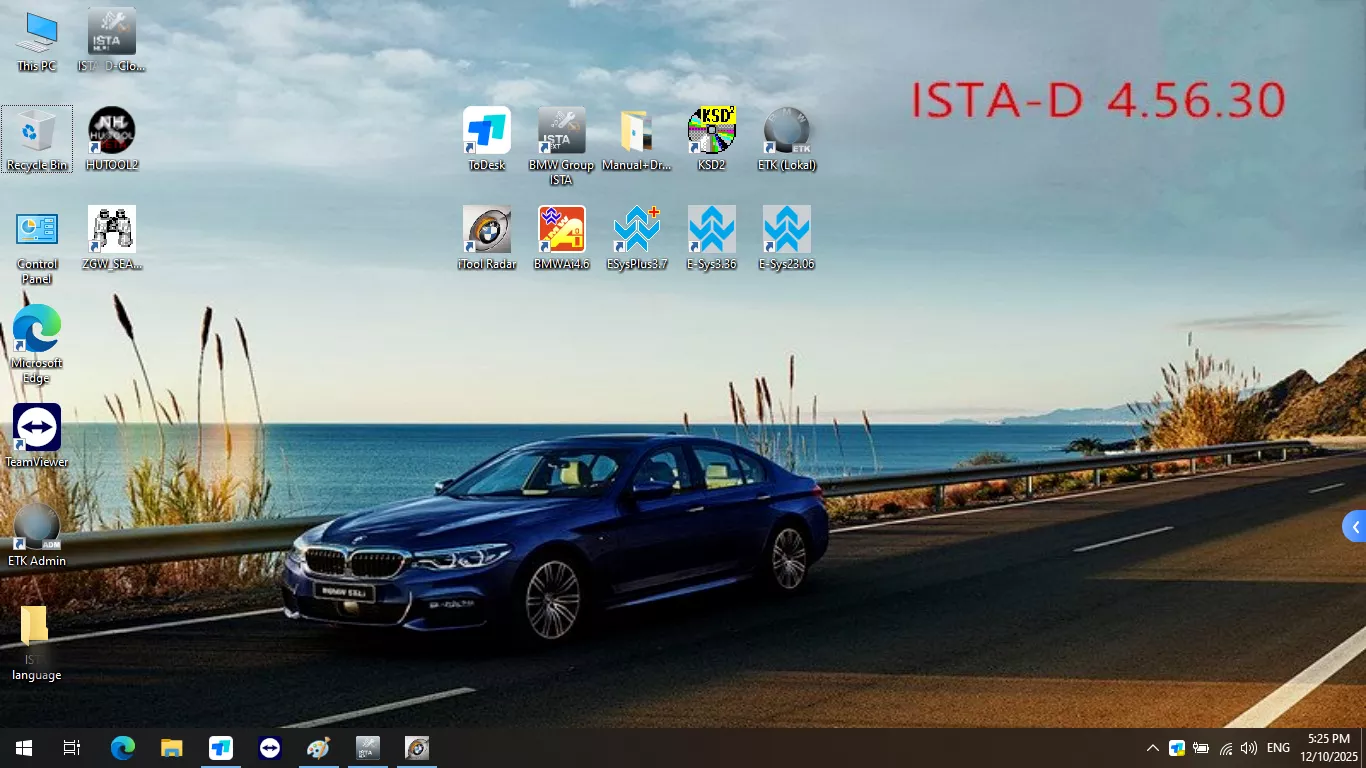
B-MW software latest version is V2026.7 just insert the HDD/SSD to your pc and run the software. ICOM software for B.MW can diagnosis, programming & coding for most models of B.MW.
V2026.7 ICOM Software For B.MW Rheingold Diagnostic for B.MW Software Win10 64bit HDD/SSD
What is B.MW Software?
The B.MW Software is a current dealer-level diagnostic software commonly used for all E Series, F Series and F-, I-, G-, Mini, and RR models. B.MW Software includes Engineer Software supports programming and coding for B.MW models until 2026.
Note: Does not support E-series engineer software. Does not support the cars before 2010.
Why you need B.MW Software?
1. Comprehensive diagnostics:
ICOM Software offers full dealer-level diagnostics, allowing you to read and reset fault codes, perform service resets, code/program modules, and regenerate diesel particulate filters (DPF) efficiently.
2. Efficient programming capabilities:
With ICOM Software, you can program various modules in your B.MW vehicle, including engine control units, transmission control units, and more.
3. Real-time monitoring:
ICOM Software allows you to monitor various parameters of your B.MW vehicle in real-time, making it easier to diagnose and troubleshoot issues.
4. Compatibility with all BMW models:
ICOM Software is compatible with all B.MW models, including F-, I-, G-, Mini, and RR models.
5. User-friendly interface:
ICOM Software features a user-friendly interface that makes it easy to navigate through the software, even for non-professionals.
6. Regular software updates:
ICOM Software regularly updates its software to ensure that it is compatible with the latest B.MW models and software versions.
Why Choose B.MW Sofwtare From Us?
1. Easy To use:
Our software is installed in HDD/SSD, you don’t need to worry about software installation and adaptation issues.
2. Safe and Reliable To use:
Our Software free from any flaws, viruses, or unexpected unpleasant surprises.
3. Includes Full Deal-Lever Softwares:
Our Software includesSDP programming database+ETK Accessories catalogue+KSD+INPA +WINKFP+NCS+B.MWAi+Easyconnect+E-SYS+Brush Hide Software E-SYS pro and HU TOOL2+Dr. GINI B021.
4. Test Before Shipping
All our programs have undergone rigorous testing and are full versions of software.
5. 1v1 Technical Support
We provide 1v1 remote online support. If you have any questions, you can contact us to solve them.
B.MW Software Functions:
- Reading & Erasing fault codes
- Coding & Programming (for all vehicles that do not use the optical data bus)
- Service light resetting
- DME/DDE – synchronisation
- EWS/CAS – synchronisation
- Reading data streams (engineering parameters, LiveData)
- Tests (activation) actuators
- Airbag light reset
- ABS wheel speed checking
- Clearing Adaptations
- Air Suspension Adjustment
- Live data checks
- Complete Diagnostics (including test plans)
- Displays live data stream and graph display and vehicle version information
- Clear adaptation
- Update vehicle software and firmware
- Programme new item and upgrade functions
- Reset ECU adaptations
- New battery registration after replacement
- Code ECU functions (daytime running light, seat memory to key, beep after locking)
- Create BMW approved test plans for repairs, upgrades and updates
- Chip tuning
- And much more including wiring diagrams and parts catalogues.
B.MW Software Information:
1.Software Version: V2026.7
2.Support System:Win10 64bit
3.Software Type:HDD and SSD
4.Support Language: English
5. SupportVehicle List: for Mini, for Rolls Royce, for B-MW i Series.
6. System Requirements:At least I5 Generation 2 with 8G Memory.
7. Support Laptop Model:Suggest to use Lenovo ThinkPad T420 and T430, X61, X200, X201, X220, X230. Other models (Intel chipset can compatible, almost all the laptop as I5 / I7 series)
8. Compatible Device: ICOM NEXT A, ICOM A2+B+C.
VXDAS Kindly Note:
-
ICOM software SSD can only use as aninternal SSD, the software SSD comes with Windows system so should be used as C disk to boot laptop, pls do not use it as an external SSD, otherwise, it can not work normally and easy to damage software files.
-
Plsdo not installedanti-virus program, don’t update any program online.
- SSD software requires activation. When you get the SSD software, Insert the SSD into laptop, just send the Teamviewer ID and password to us(Support OnlineorWhatsapp),we will activate it for you.
B.MW SoftwarePackage List
1pc x Latest B-MW Diagnostic Software SSD